Sidenote vs Google Docs vs Figma: Where to Review AI Content
Sidenote Team
Not all review tools are built for AI content. See how Sidenote, Google Docs, and Figma stack up on HTML rendering, agent integration, and deliverable sharing.
When you're reviewing AI-generated content, the tool matters.
Google Docs works for prose but can't render interactive HTML. Figma excels at design but wasn't built for document-length feedback. Sidenote handles the specific workflow of reviewing generated web pages and HTML with human annotators and AI agents.
Here's how they compare.
Comparison Table
| Feature | Sidenote | Google Docs | Figma |
|---|---|---|---|
| HTML rendering with scripts/styles | Yes | No | No |
| Inline text annotations | Yes | Yes | Yes |
| AI agents upload documents (MCP) | Yes | No | No |
| AI agents retrieve feedback (MCP) | Yes | No | No |
| Version history | Yes | Yes | Yes |
| Annotation re-anchoring across versions | Yes | Yes | Partial |
| Professional deliverable sharing | Yes | Limited | Yes |
| Accessibility auditing | Yes | No | No |
| Account required for reviewers | No | Yes | Yes |
| Real-time collaboration | Limited | Yes | Yes |
| File format support | HTML | Docs/Sheets/Slides | Design files |
| Free tier | No | Yes | Yes (limited) |
The Core Differences
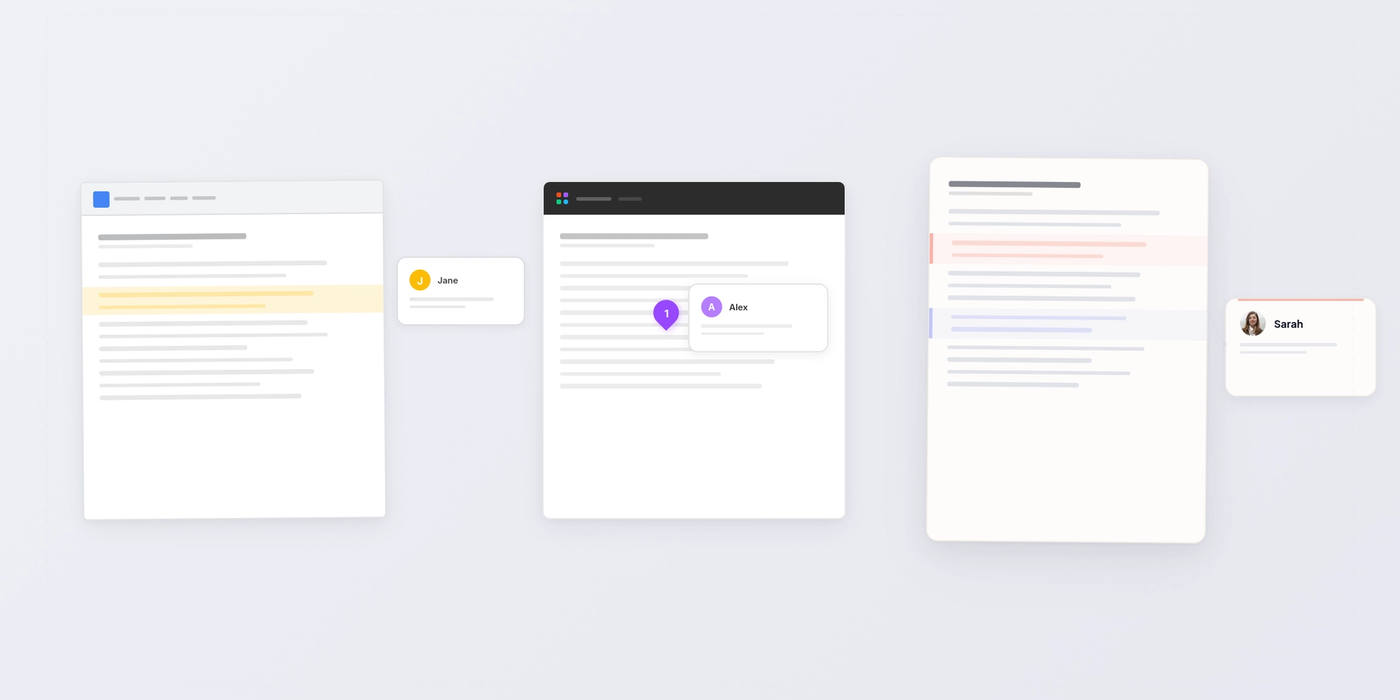
Google Docs is built for collaborative writing. Multiple people can edit the same document at the same time. Comments anchor to text and stick across versions. It's what most teams know, and it works for prose review.
The limitation: it's a text tool. If your AI system generated an interactive HTML page, Google Docs will show you the raw markup, not the rendered interface. You lose visual context.
Figma is built for design review. Designers create mockups, teams annotate layers and components, and everything feeds into a design system. Version history is solid. Annotation anchoring works for vector objects.
The limitation: Figma is for visual design files. If you try to review a 10,000-word generated document or HTML page, you're fighting the tool.
Sidenote is built for reviewing generated web pages. You upload HTML, share the live rendered page with reviewers, and they annotate inline without an account. AI agents can programmatically upload documents and pull back structured annotation data via the MCP. It handles the specific workflow of AI generation and human feedback.
When to Use Each
Use Google Docs if:
- You're reviewing text-based content like marketing copy, blog posts, or proposals.
- Your team collaborates on the same document in real-time.
- You need a tool everyone already knows.
- Format support matters (Word, PDF import, export to Slides).
Use Figma if:
- You're reviewing visual designs, mockups, or interactive prototypes.
- Your team uses a shared design system.
- Real-time collaborative design feedback is critical.
- You need annotation on specific design layers or components.
Use Sidenote if:
- Your AI system generates HTML pages or web interfaces.
- You want reviewers to see the live rendered version, not markup.
- You need AI agents to programmatically upload documents and retrieve feedback.
- Reviewers shouldn't need accounts.
- You're shipping the reviewed page to customers.
Why HTML Rendering Matters
Generated AI content is often interactive. A marketing page has forms, buttons, and hover states. A documentation site has navigation and code examples.
Google Docs shows you the source code. Figma is built for statics. Sidenote renders the actual page, so reviewers see what your users will see.
This matters more than it sounds. Misplaced buttons, broken forms, and styling issues become invisible in plain text review.
AI Agent Integration
If your workflow involves an AI system that generates content and collects human feedback, HTML rendering alone isn't enough. The agent needs to push documents programmatically and pull feedback back without human involvement. That's what MCP integration does.
Google Docs and Figma don't have this pattern. You'd need to build custom APIs or manual exports. Sidenote was designed for this feedback loop from the start.
No-Account Review
Google Docs and Figma both require reviewers to sign in. Sidenote doesn't. Share a link, and reviewers annotate immediately.
This sounds small until you're running the fifth review cycle and reviewers are tired of the login flow.
Real-Time Collaboration
Google Docs wins here decisively. Multiple people typing, editing, and commenting at the same time.
Sidenote handles async review well, but if your workflow is synchronous editing, Google Docs is faster. Figma also supports real-time collaborative design.
Pricing and Access
Google Docs is free for basic use. Figma offers a free tier for design work. Sidenote is a paid product.
If your constraint is cost and your workflow fits Google Docs, use it. If you're generating hundreds of HTML pages that need human feedback, the cost of review becomes a different calculation.
Accessibility Auditing
Sidenote can audit HTML for WCAG violations and render reports. Google Docs and Figma aren't built for this.
If accessibility compliance is part of your review process, this is worth knowing.
FAQ
Can I use Google Docs to review AI-generated web pages?
Technically yes, but you're reviewing markup, not the rendered page. Forms won't submit, scripts won't run, styles won't display. You lose critical visual context.
Does Figma work for long-form document review?
No. Figma is built for visual design files and interactive prototypes. Reviewing a 5,000-word generated document in Figma would be like trying to write a novel in Photoshop. You're fighting the tool.
Can Google Docs integrate with AI agents?
Google Docs has an API, but it's not designed for the pattern of programmatic document upload and structured feedback retrieval. You'd build custom tooling.
Is Sidenote worth the cost?
Depends on your workflow. If you're generating and reviewing a handful of pages, Google Docs might suffice. If you're running an AI system that generates hundreds of pages and needs structured human feedback, Sidenote's cost is lower than hiring someone to manually manage reviews across Google Docs.
Can I use all three?
Yes. Use Google Docs for text-based copy review. Use Figma for design mockups. Use Sidenote for generated HTML pages that need human feedback and agent integration.
The Verdict
None of these tools is universally better. They're built for different workflows. The question isn't "which tool is best" but "which tool fits this specific task."
For reviewing AI-generated HTML pages with structured human feedback and agent integration, Sidenote is built for it. Google Docs and Figma aren't. If your workflow is different, they might be the right choice.
Learn how AI agents use MCP to get human feedback, or explore Sidenote pricing to see if this workflow fits your team.