Stop screenshotting. Start reviewing the actual page.
Sidenote lets reviewers click any element on your page and leave feedback that anchors to the DOM, not a static image. When the design changes, the feedback follows.
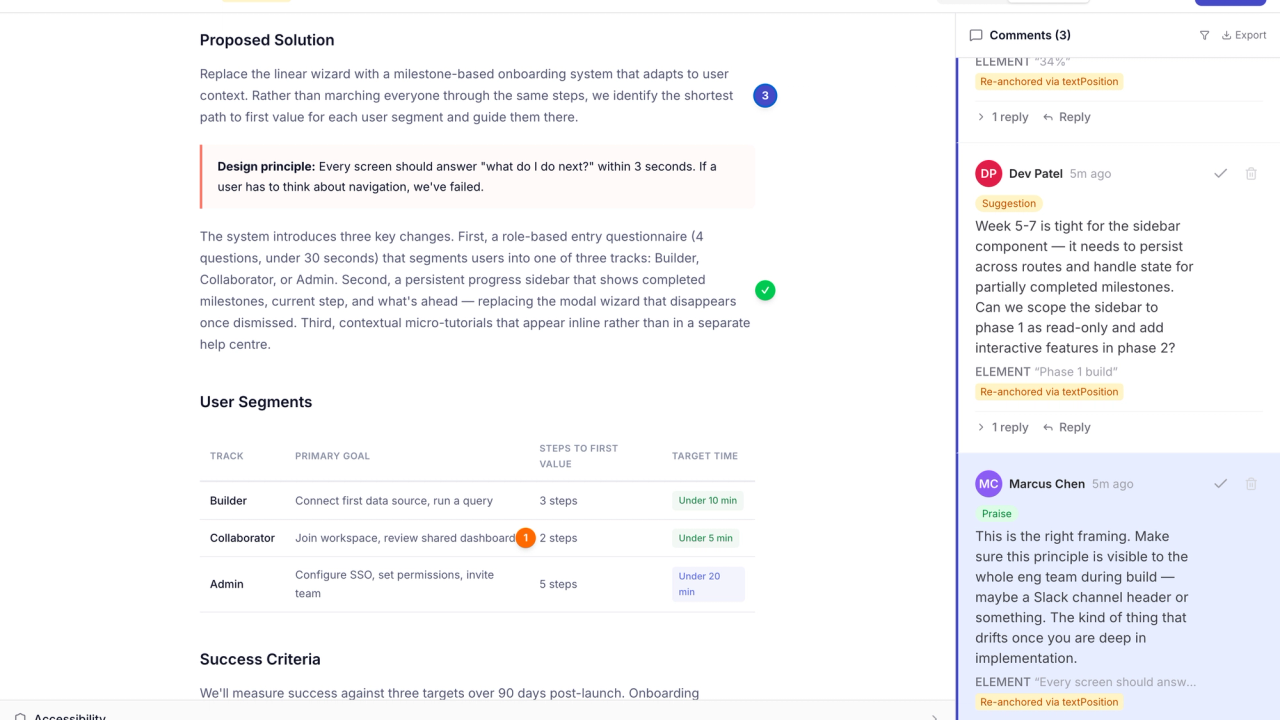
Email threads. Screenshot markup. Lost context. Sound familiar?
Your client screenshots the page on their phone. The screenshot is 375px wide and they've circled something near the header, but the desktop layout is completely different so you can't tell what they mean. Three emails later, you're still guessing.
Meanwhile, the design has moved on. The screenshot is a fossil.
Screenshots lie
A screenshot captures one viewport at one moment. Resize, scroll, or update the layout and it’s meaningless.
Precision is impossible
“The thing near the top” isn’t a design note. You need feedback anchored to the actual element: a heading, an image, a div. Not a red circle on a JPEG.
Reviewers won’t sign up
You need feedback from five stakeholders. Two won’t create accounts. One will email you instead. Now feedback lives in three places.
Upload. Share. Review. That's it.
Upload
Drop in your document: HTML, PDF, or images. Sidenote renders it exactly as your audience would see it.
Share a link
Send the review link to anyone. Reviewers enter their name and start clicking elements to comment. No signup. No password. No invite email.
Collect structured feedback
Every annotation is anchored to a specific element in the page. Export as JSON for your dev team, or let an AI agent read it via MCP and iterate automatically.
New version? Your annotations come with it.
Upload a revised document and Sidenote re-anchors previous comments to matching elements using fuzzy text matching. Visual diffs highlight what changed between versions. Threaded conversations carry forward.
Other tools make you start over every time the design changes. Sidenote carries context forward.
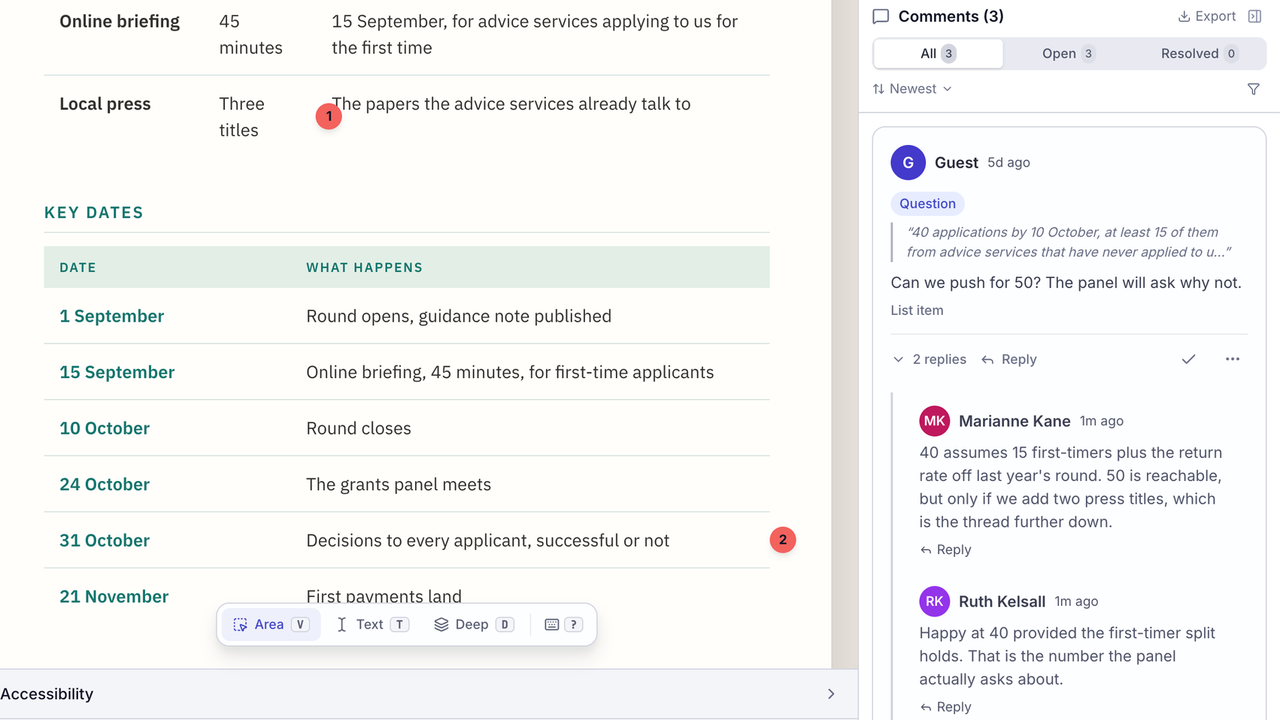
Catch accessibility issues during review, not after launch.
Every document gets an automated WCAG 2.1 AA scan. Contrast ratios, missing alt text, heading hierarchy, all flagged inline so you can click a finding and jump straight to the element.
Most design feedback tools leave this out. Teams run accessibility checks in a separate tool, after the review is done, when it's too late to fix anything without another round of feedback.
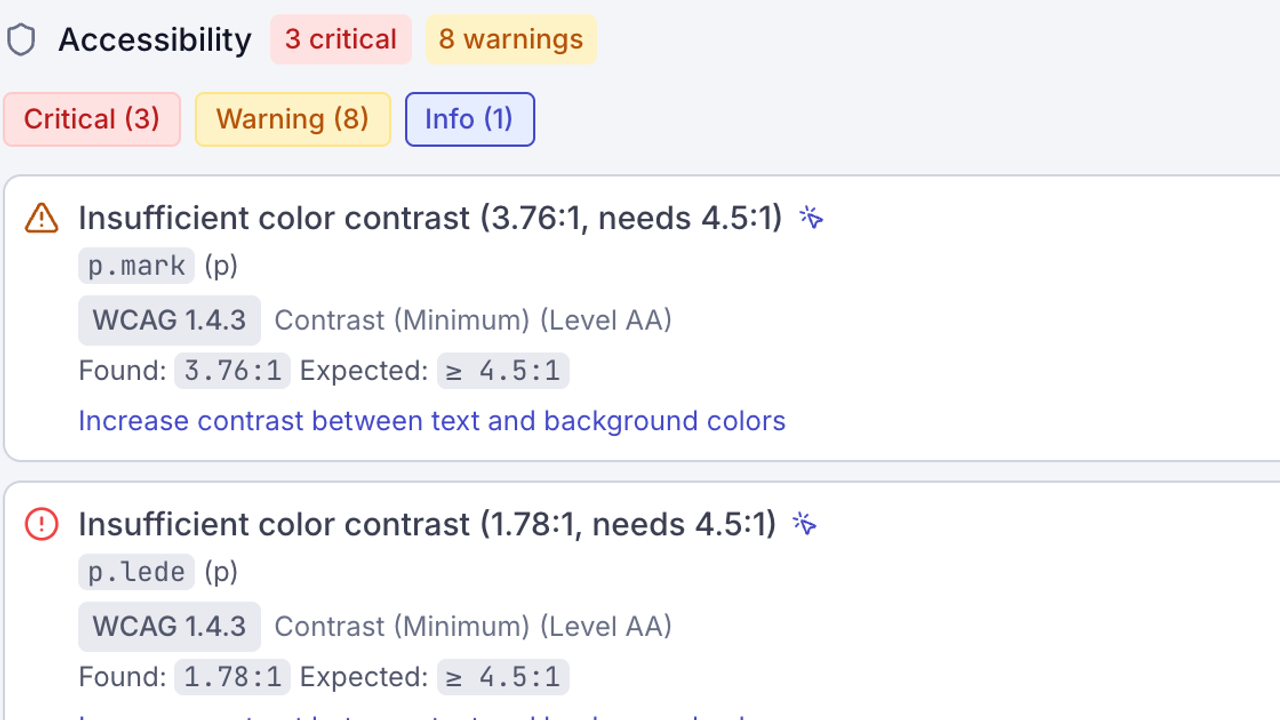
Your AI made the first draft. Your team tells it what to fix.
More design work starts with AI now: landing pages, reports, email templates. The first draft appears in seconds. The review still takes days because it happens in screenshots and email threads.
Sidenote connects directly to AI tools like Claude, ChatGPT, and other agents that support the Model Context Protocol. Your agent uploads the design, your team reviews it on the actual page, and the agent reads their feedback as structured data, then iterates and resubmits. No copy-pasting. No translating sticky notes into tickets.
The review becomes a conversation between your team and the AI, with Sidenote as the surface where it happens.
All the features. None of the bloat.
Multi-format export
JSON with element selectors, PDF summary with visual annotations, Markdown for handoff.
Brand auditing
Check colours, fonts, and spacing against your brand guidelines automatically.
Password-protected links
Share with clients and control who sees what.
Expiring share links
Set a review deadline and access revokes automatically.
Labels and resolution
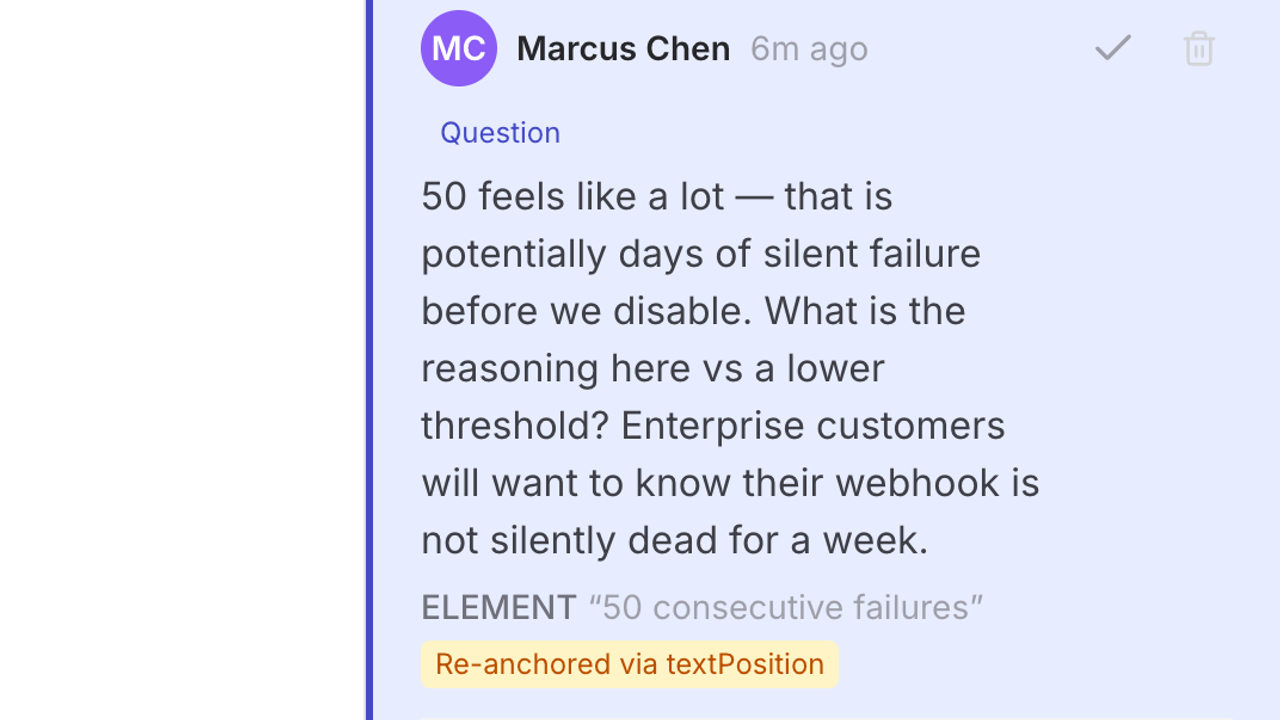
Tag annotations as bug, suggestion, question, or praise. Resolve to collapse.
Rich text comments
Bold, code, inline images. Reviewers can show, not just tell.
Reviewers are always free. Seriously.
You pay for uploaders, not seats. Every reviewer, client, and stakeholder comments free. No per-seat tax on collaboration.
One uploader, unlimited reviewers.
One uploader, no document limits.
One flat price for the whole workspace. Not per seat.
Frequently asked questions
Your next design review starts here.
Upload your first HTML document in 30 seconds. Your reviewers won't need an account.