Online proofing for what you're actually shipping: the web.
Sidenote is online proofing software built for HTML documents, the format the web actually uses. Annotate elements, track versions, export structured feedback, and let AI agents close the loop.
Most proofing tools were built for print. The web moved on.
Traditional online proofing tools were designed for PDFs and static images, formats with fixed coordinates where a pin drop makes sense. But the web is fluid. Elements reflow, viewports resize, and content updates constantly. Dropping a pin on a screenshot of a responsive page doesn't tell your developer anything useful. Sidenote proofs the actual HTML document, anchoring annotations to DOM elements that survive layout changes, version updates, and responsive breakpoints.
| Feature | Traditional proofing | Sidenote |
|---|---|---|
| Annotation target | Pixel coordinates on a screenshot | DOM elements in live HTML |
| Layout changes | Annotations break or misalign | Annotations re-anchor automatically |
| Version comparison | Overlay two static images | Structural HTML diff with element tracking |
| Accessibility checks | Separate tool, separate workflow | WCAG 2.1 AA scan inline, every version |
| AI agent integration | None. Feedback locked in proprietary UI | MCP protocol: agents read, write, iterate |
| Reviewer accounts | Required for most tools | Never required, name entry only |
Upload. Share a link. Proof the actual page.
1. Upload your document
Drop in your HTML file, PDF, or image. Sidenote renders it exactly as your audience would see it, because for HTML it is rendering the actual page.
2. Share the review link
Send the link to anyone: clients, stakeholders, teammates. They enter their name and start clicking elements to leave feedback. No signup. No password. No invite email.
3. Collect structured feedback
Every annotation is anchored to a specific element in the page. Export as JSON for your dev team, generate a PDF summary for clients, or let an AI agent read it via MCP and iterate automatically.
Click the element. Leave a comment. It stays there.
Most proofing tools place annotations at pixel coordinates on a flat image. Resize the window, update the layout, or switch to mobile, and every annotation is in the wrong place. Sidenote anchors annotations to actual DOM elements using a text-offset anchoring system. Click a heading, a paragraph, an image, a button, and the annotation attaches to that element and stays attached even when the page changes.
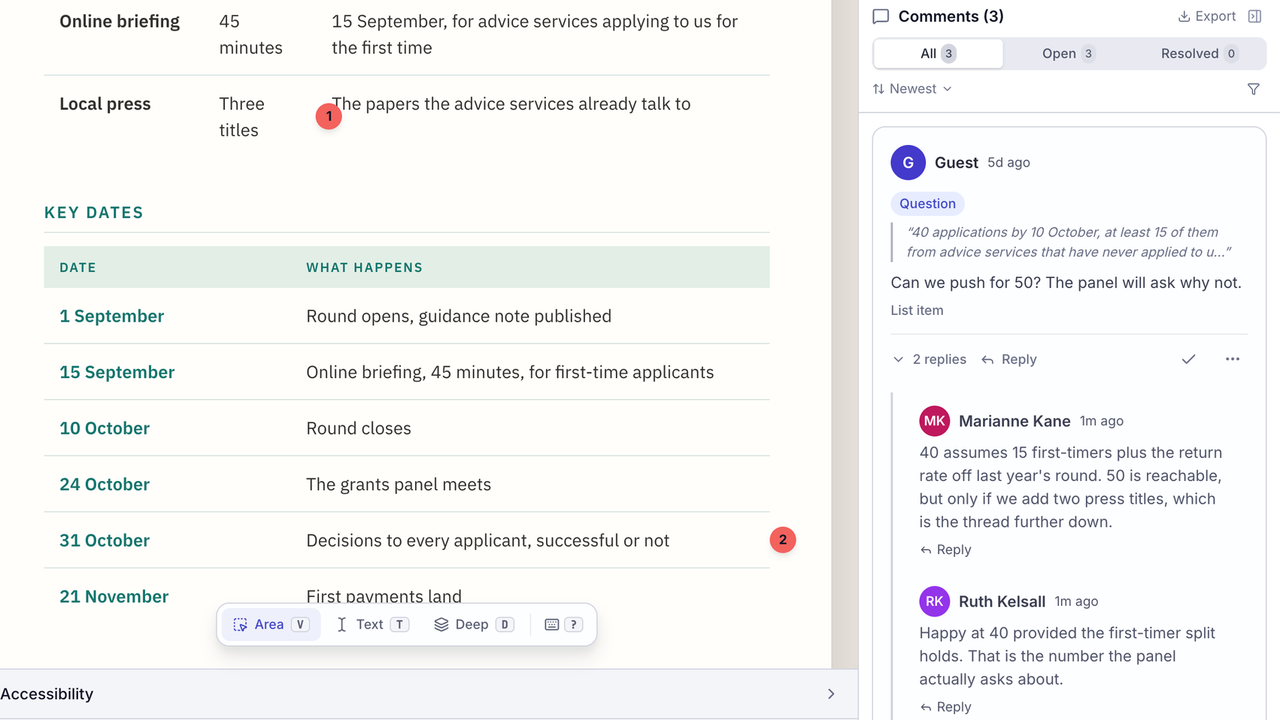
Tag each annotation as a bug, suggestion, question, or praise. Reply in threads to discuss specifics. Suggest replacement text directly on the element. Resolve annotations when they're addressed. They collapse but stay in the history for traceability.
See exactly what changed between versions.
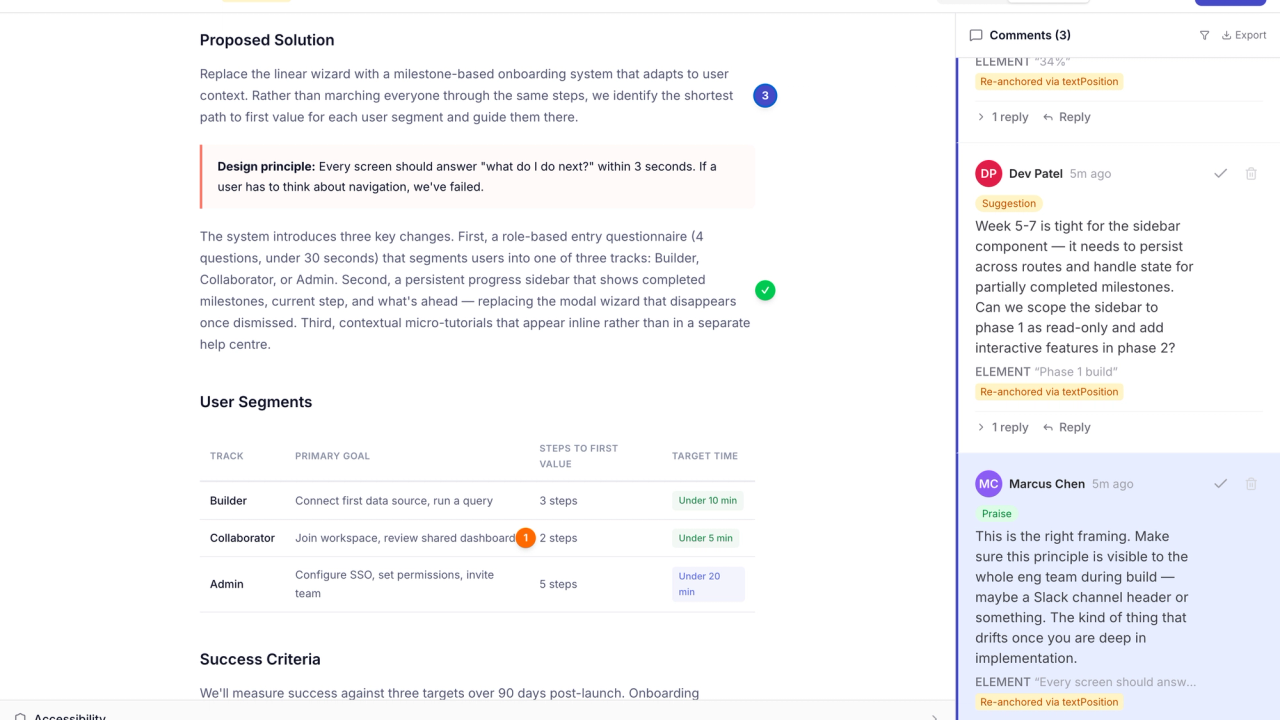
Upload a revised document and Sidenote shows you a structural visual diff, not a pixel overlay of two screenshots, but an actual comparison of what changed in the HTML. Elements added, removed, or modified are highlighted. Previous annotations re-anchor to matching elements automatically using fuzzy text matching.
Side-by-side version comparison lets reviewers see both versions simultaneously. Threaded conversations carry forward across versions, so you can trace how each piece of feedback was addressed. No more starting over every time the design changes.
Catch WCAG issues before they reach production.
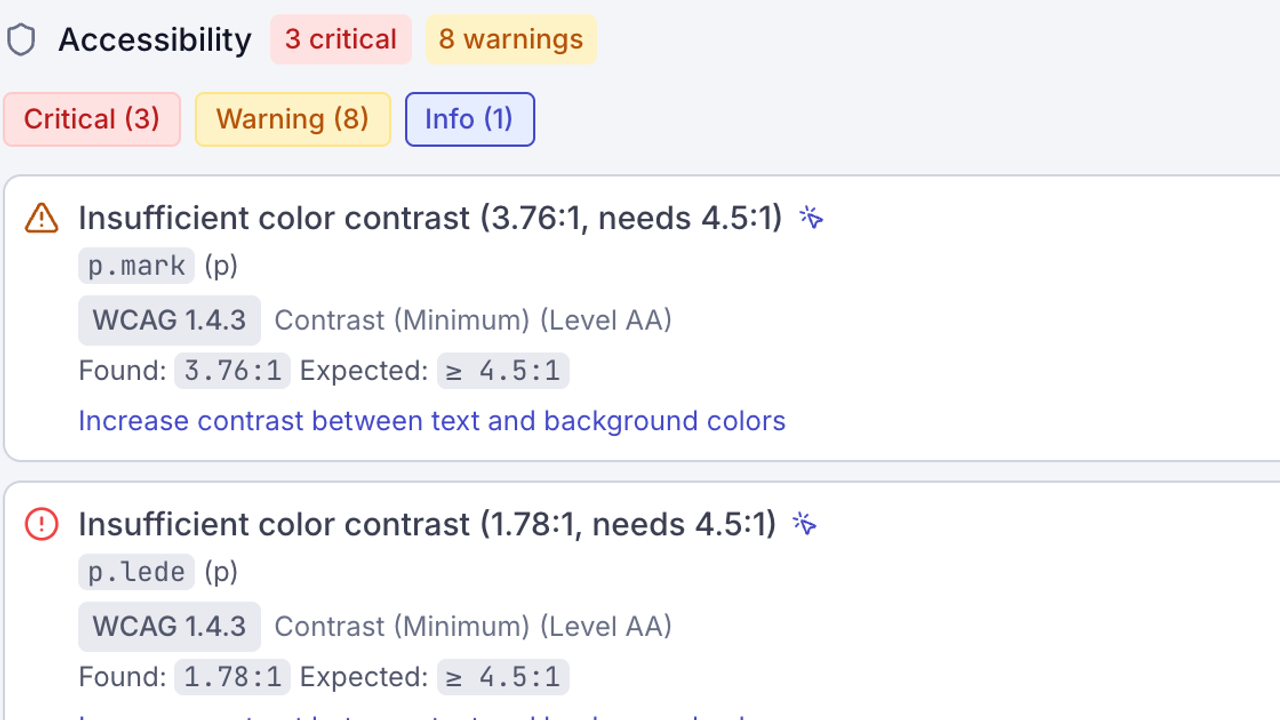
Every document gets an automated WCAG 2.1 AA scan inline: contrast ratios, missing alt text, heading hierarchy, form labels, ARIA attributes. Findings appear alongside human annotations so your team sees accessibility issues in the same workflow as design feedback.
Click any finding to jump to the exact element. Upload a new version and the scan runs again automatically, so you can verify fixes without switching tools. In most proofing tools accessibility is not part of the review at all. It lives in a separate audit tool, run after the fact, that nobody opens until after launch.
AI creates the document. Humans proof it. AI reads the feedback.
More content starts with AI now: landing pages, reports, email templates, documentation. The first draft appears in seconds. The review still takes days because it happens in screenshots and email threads that AI can't read.
Sidenote supports the Model Context Protocol (MCP) with OAuth 2.1 authentication. AI agents from Claude, ChatGPT, and other MCP-compatible tools can upload documents, read your team's annotations as structured data, and push revised versions, creating a closed feedback loop without manual copy-pasting.
Sidenote doesn't compete with your AI. It gives your AI agent a seat at the proofing table.
Export to JSON, PDF, or Markdown. Or let MCP handle it.
Every review session exports in the format your workflow needs. Pro plans include API access for automated export pipelines.
JSON
Dev handoff, CI pipelines, programmatic processing
Client summaries, stakeholder reports, print archives
Markdown
Documentation, GitHub issues, team handoff
MCP
AI agent workflows: read and act on feedback automatically
You pay for uploaders. Everyone else proofs for free.
Reviewers, clients, and stakeholders comment free on every plan. No per-seat tax on collaboration.
One uploader, unlimited reviewers.
One uploader, no document limits.
One flat price for the whole workspace. Not per seat.
Questions
Start proofing. Your reviewers won’t need an account.
Upload your first HTML document in 30 seconds. 5 documents free, unlimited reviewers, no credit card.